
Kashier POS Terminal
Overview
The point-of-sale app on Kashier's Android terminals. Card, wallet, InstaPay and BNPL payments, plus the refunds, reports and settlements that come after. Built for cashiers at busy Egyptian counters.
Kashier sells Android payment terminals to shops across Egypt. I designed the app that runs on them. The person using it is a cashier with a queue in front of them, so every flow had to be learnable in a few minutes and hard to get wrong.
I covered the whole app: the splash screen at startup, the sale itself, and the settlement report at closing time.
Payment Methods
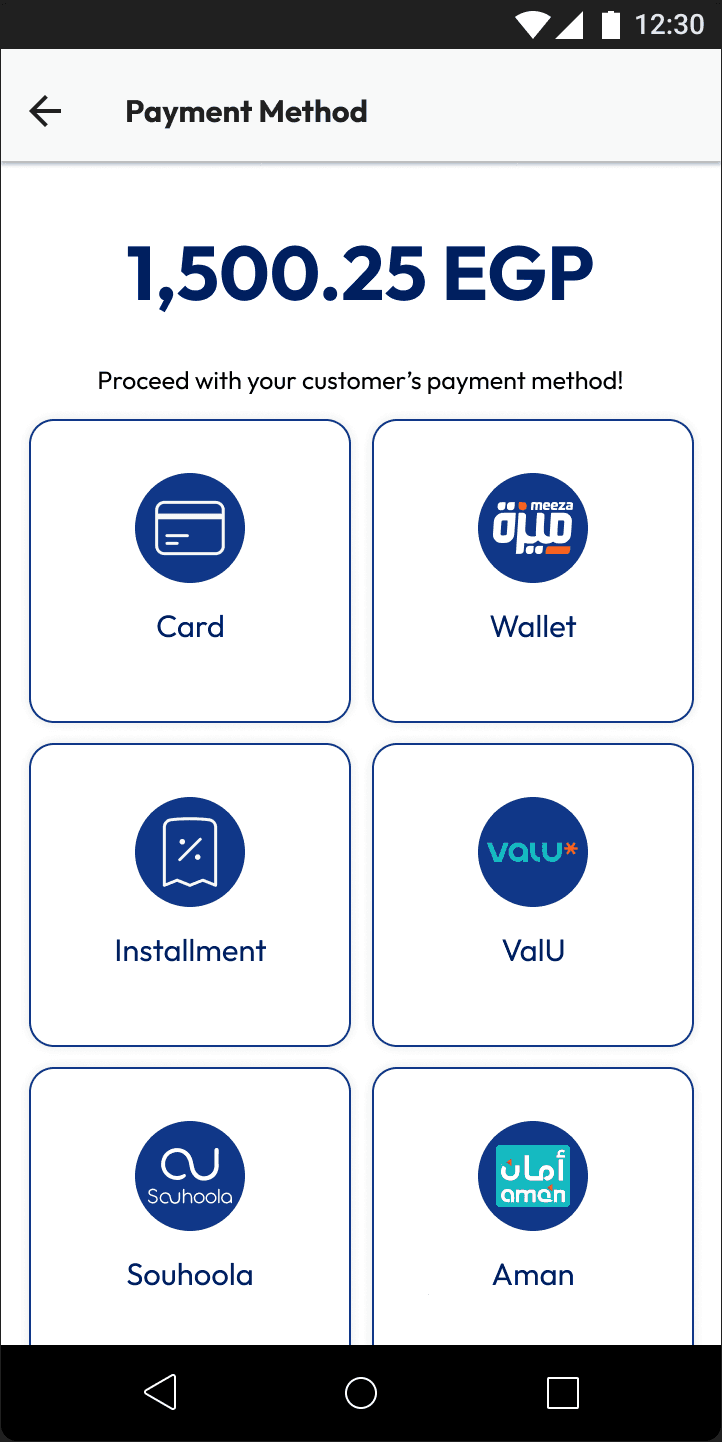
The terminal takes nine payment methods. The cashier types the amount, then picks how the customer is paying.










Under the hood they behave differently. Cards hand off to EBE's payment app. Wallets, InstaPay and most BNPL providers use a QR code: generate, customer scans, terminal confirms. Bank installments go through the card network, and Contact verifies the customer with ID and OTP on the terminal. I kept the QR flows identical on purpose. Learn one and you know them all.
Card Payment
This is the flow cashiers run most. If it's slow or confusing, the customer feels it at the till.
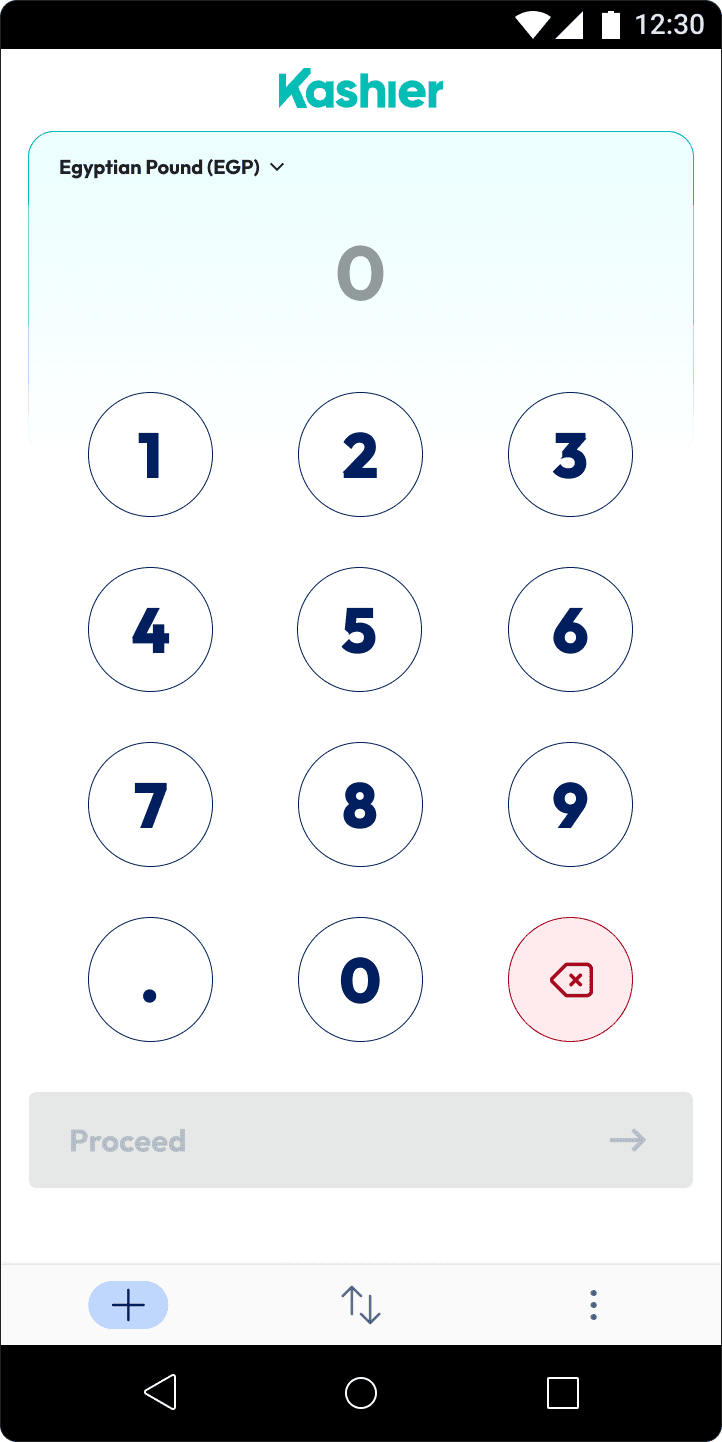
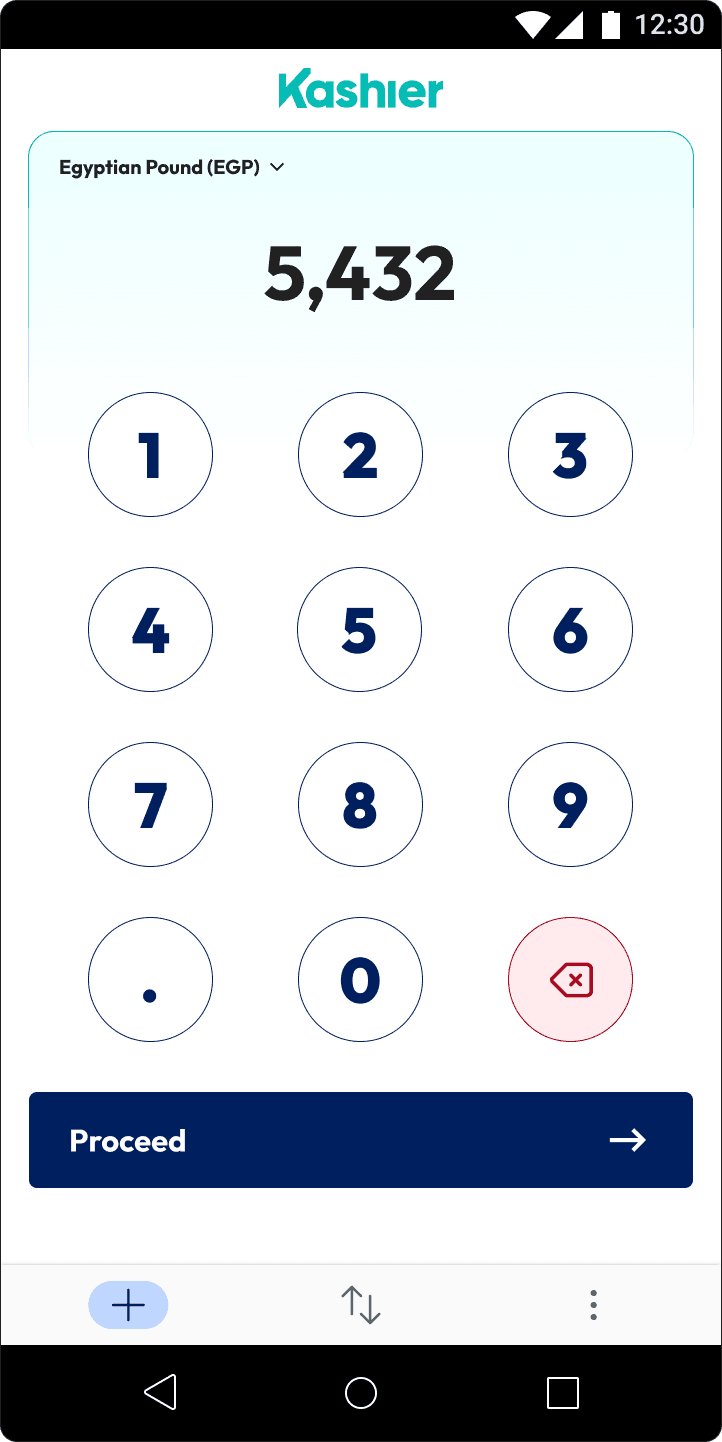
Amount entry comes right after login. A big keypad and a currency selector. The cashier types the amount without a decimal point and the app adds it, then asks them to confirm before moving on.
Payment method selection is a grid of equal tiles. Card, wallet, installment and BNPL all carry the same weight, so the cashier can tap without reading a list.
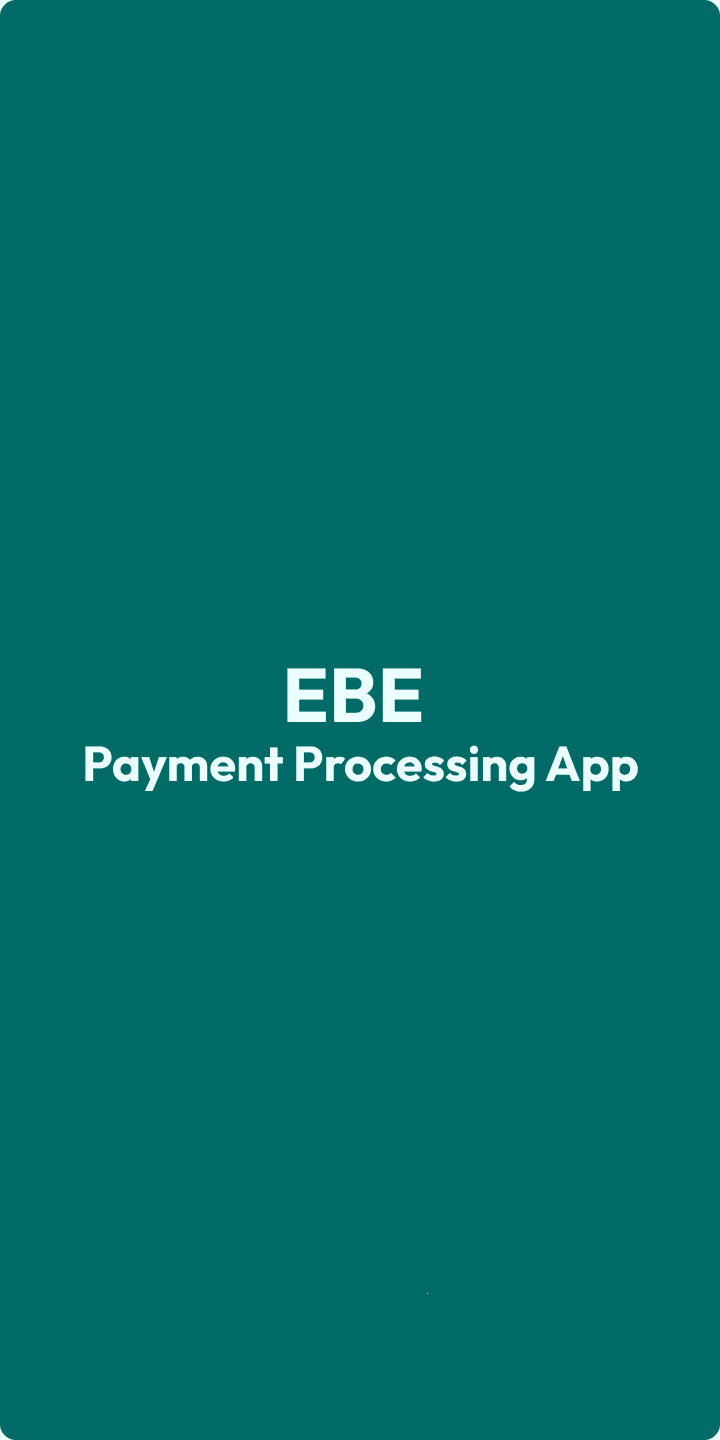
EBE handoff is a full-screen state. EBE's app handles NFC, chip-and-PIN and magstripe. The screen says so, so the cashier knows they're waiting on the card app and not on Kashier.
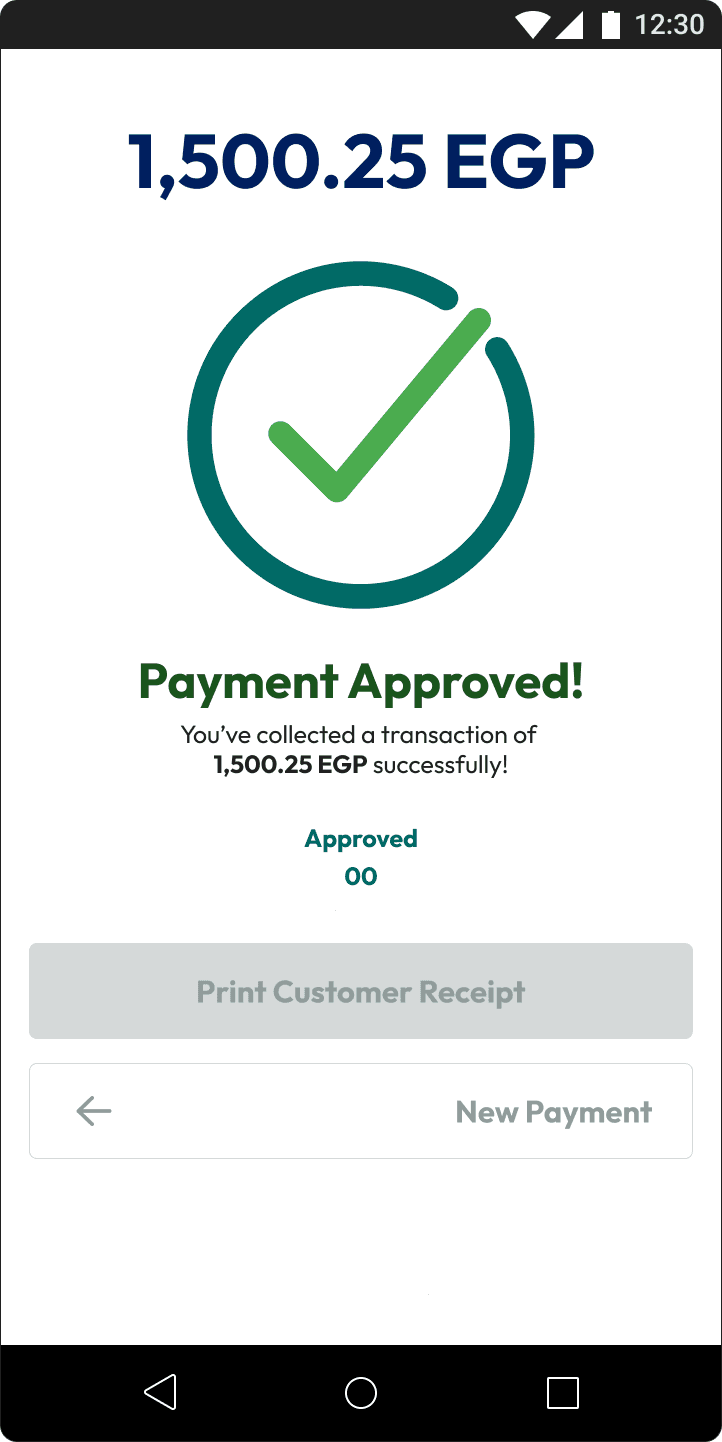
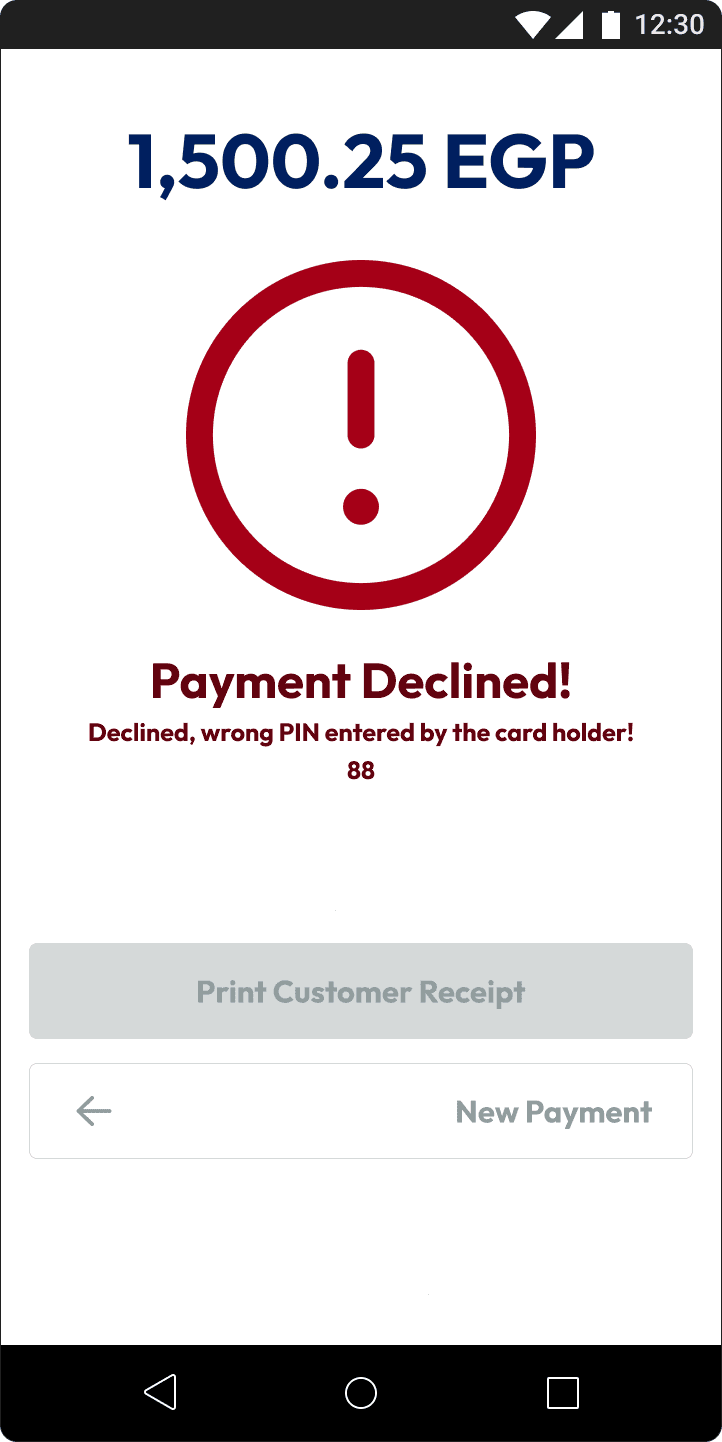
Approved and Declined are impossible to mix up: a teal check or a red exclamation mark. Each shows the amount and the response code, and nothing more.
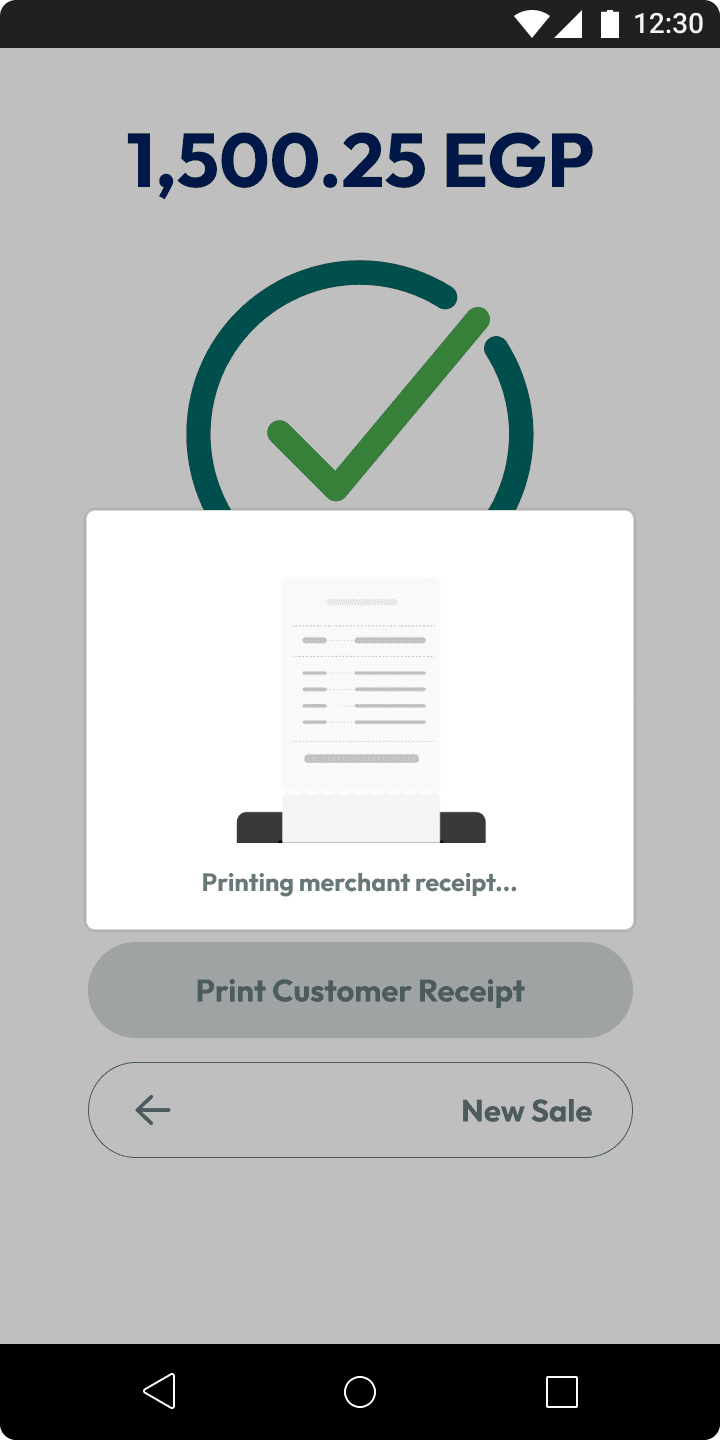
Receipts print on their own. Merchant copy first, a five-second pause, then the customer copy. The screen shows which one is printing.
InstaPay
InstaPay is Egypt's instant bank transfer network. The customer scans a QR with their own bank app. They don't need a card, a wallet or anything new installed.
The QR expires after five minutes and has to be regenerated. I made the countdown visible but quiet. Most payments clear in under thirty seconds, and a flashing red timer would make people rush for no reason.
Buy Now, Pay Later
There are five BNPL providers on the terminal. Four of them (ValU, Souhoola, spark it and Aman) use the same QR handoff. The cashier generates a code, the customer approves in the provider's app, and the terminal gets the confirmation. Contact works differently. It checks the customer's ID and an OTP on the terminal, for people who don't have the app.
A cashier shouldn't have to remember which provider wants what. For the QR four, the terminal's job never changes: show the code, wait. All the provider-specific logic lives in the customer's app. Contact is the one exception, and it still uses the same screens and components.
Transaction Management
Cashiers also have to deal with what happens after a sale.
Void cancels a payment before the batch settles, and only within the same shift. It's quick, with one confirmation step to stop accidents.
Full and partial refunds work after settlement. A partial refund adds an amount field that checks against the original value as you type. Both start from the original transaction, so the cashier can see what they're reversing.
Reprint pulls up any past receipt. Customers ask for this all the time for expense claims.
Search and filter covers the full history by date, method, amount and status. The touch targets are sized for quick taps on a crowded counter.
Reports & Settlements
Merchants get three reports, each for a different time span.
Shift reports sum up one cashier's session: transaction count and total, ready for handover.
Full reports cover every shift in a date range.
Batch reports match the settlement batch sent to the bank for clearing. Merchants check these against their bank statements, so the labels had to be exact.
Daily auto settlement closes the batch at the end of the day. Before the merchant submits, it shows the count, the total and anything still pending.
Settings
There are two settings that stick: default language (Arabic or English) and default currency. Both ask for confirmation, because nobody wants the terminal switching to the wrong language in the middle of a rush.
Outcome
Nine payment methods, five of them BNPL providers with different back ends, come down to a handful of patterns on the terminal. A cashier who has done one QR payment can do all four QR providers without extra training. The two exceptions, card via EBE and Contact's on-terminal check, use the same visual language, so nobody feels like they've landed in a different app.
After the sale, void, refund, reprint and search all start from the original transaction. The shift, full and batch reports each answer one question, so merchants don't have to cross-check three screens to reconcile a day.